

If you made a purchase in some store on Aliexpress, but forgot to save the link to bookmarks, then you can find the store by name. However, there is one small nuance, it cannot be done immediately through the Aliexpress website itself https://www.aliexpress.com/ , through the built-in search form, you can find only products, but not stores.
To search for a store by name, we will use well-known search engines such as Google.
To search for stores (sellers) on the Aliexpress site, you can go to the search engine https://www.google.com/ and enter the following into the search form:
site:aliexpress.com GoTop Smartphone
(the first thing we specify is site: — this means that we want to search only for a specific site, after the colon you need to write the site itself on which we want to search in our case it is “aliexpress.com ” and after a space, we specify the keywords for the search.)
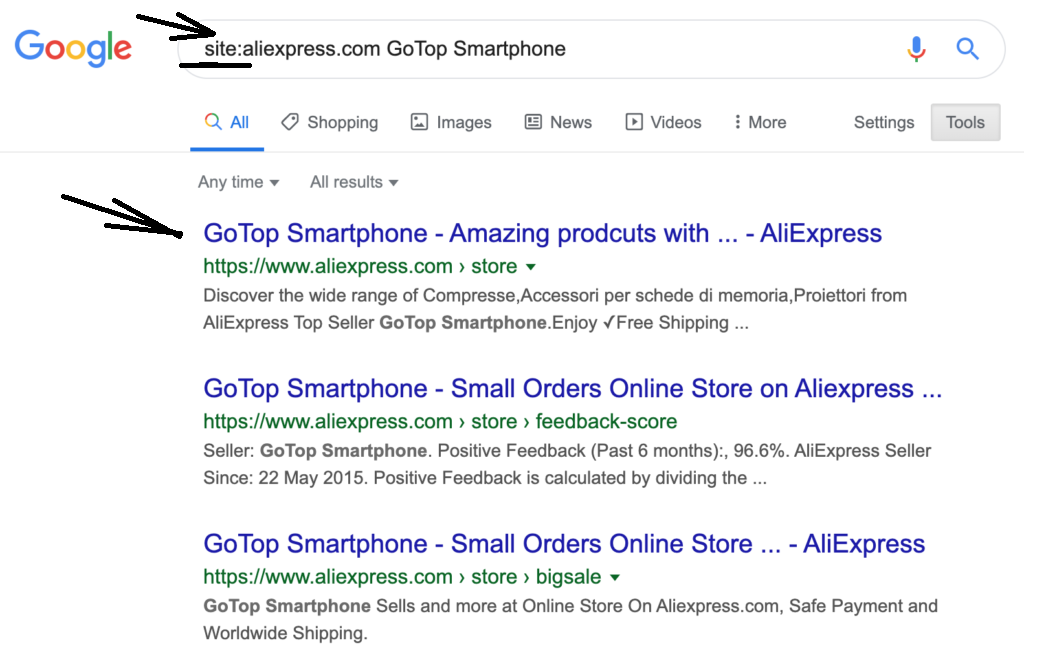 Super Deals on Aliexpress
Now you can see how easy it is to find the necessary information on a certain site. You can try to find a store on Aliexpress by name yourself, and make sure how easy it is.
If you have forgotten the name of the seller or store where you bought some product, you can always go to the website https://www.aliexpress.com/ and go to the “Account” — “My orders”
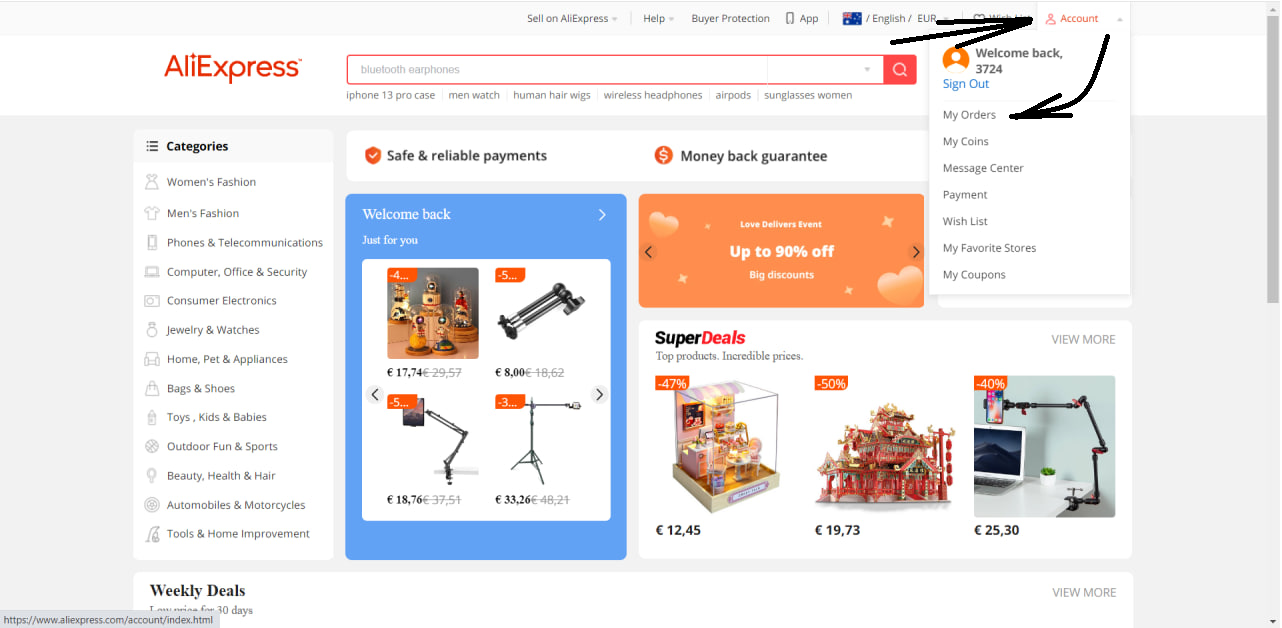 Super Deals on Aliexpress
After that, in front of each product that you bought earlier, you will be able to see the name of the store (seller) from which you made the purchase. And also a little below there is a link “Go to the store” if you want to pick up some product in the same store again. It is a very simple and fast method to find out the name of the store where you made a purchase before.
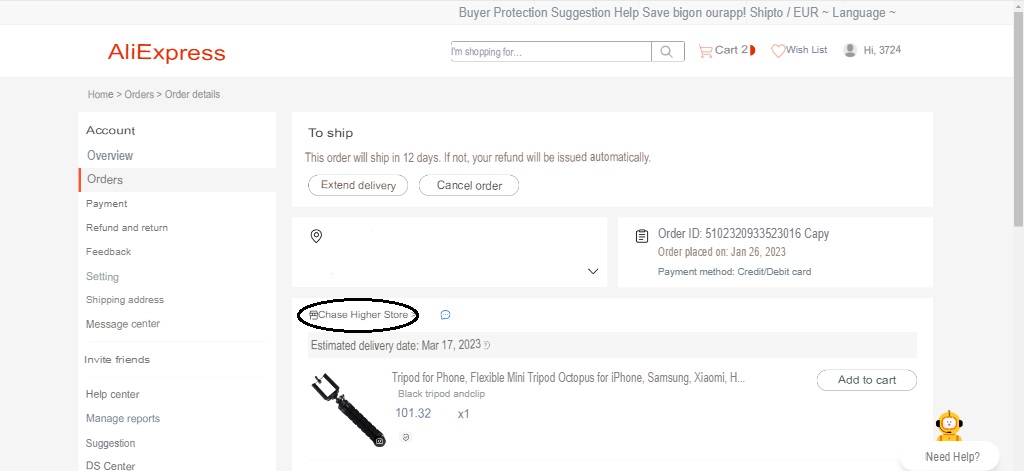 Super Deals on Aliexpress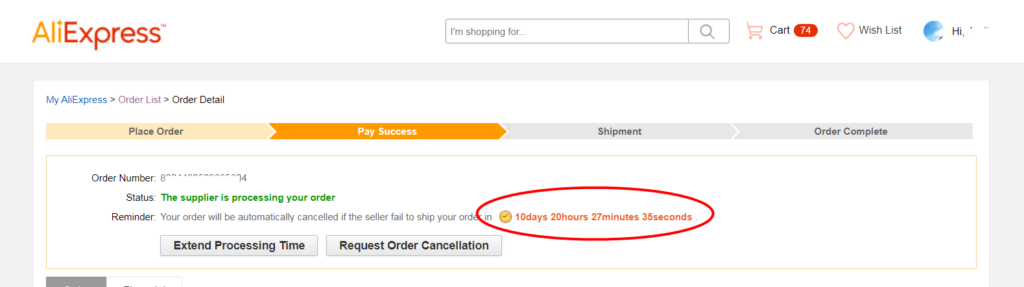
To save time when canceling delivery, it is recommended to contact the seller. In most cases, you will be able to get explanations about why your order was closed or withdrawn. Not in all cases it is possible to resol...
But we would like to focus separately in this article on the most common delivery method, which is most often used on the platform. Its name is <b>Cainiao Super Economy Global</b>.

In today's image-conscious world, our appearance holds immense significance, and our hair plays a pivotal role in defining our overall look. However, finding the right balance between stylish and high-quality hair car...